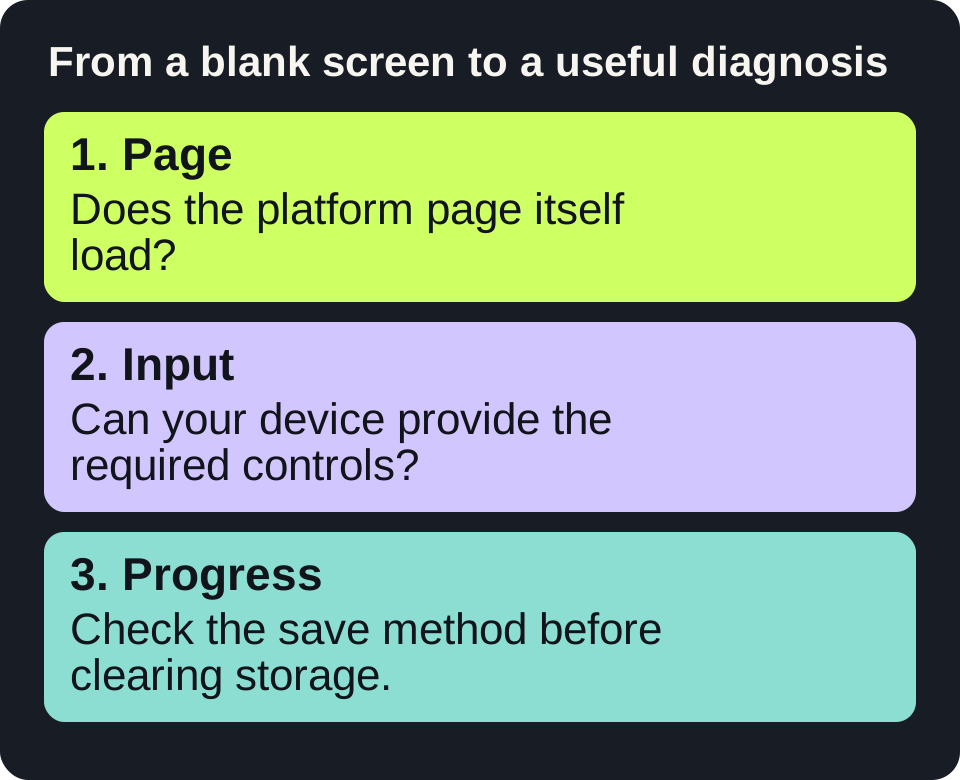
Read the diagram as text
- Page: Does the platform page itself load?
- Input: Can your device provide the required controls?
- Progress: Check the save method before clearing storage.
Start with the game, not a mirror
A search for “Poki unblocked” often mixes the actual game platform with unrelated sites using a similar name. Start at poki.com, then use the game title and its developer to identify the page you intended to open. A familiar thumbnail alone does not establish who operates a site.
Poki hosts browser games. That does not mean every title works with every browser, keyboard or touch screen, or that a game is available on a particular network. A useful check is specific: can this game load and can you use its required controls on your own device?
A five-minute selection procedure
- Choose a practical constraint. Decide whether you have a keyboard, touch screen, sound and five uninterrupted minutes. Choose a short puzzle or turn-based game if you need to stop quickly.
- Open the named game. Check the title, developer and instructions on its page. A similarly named sequel or fan version may use different controls.
- Read Controls before the first attempt. On a phone, scroll below the game to find the instructions. Check whether dragging, tapping, holding or multiple keys are required.
- Try one round. Test the required actions, then decide whether the game suits your device. Do not spend the entire break troubleshooting a game that needs a physical keyboard you do not have.
- Plan where progress lives. Before a long session, read the current saving options. Browser storage and an optional account are different forms of persistence.
Blank screen: change one thing at a time
| What you observe | Useful next check | What to record |
|---|---|---|
| The entire site does not open | Check another ordinary page and read the exact browser error. | Error text and whether any other page opens. |
| The site opens; one game stays blank | Reload that game once, then try a different game on the same site. | Game title, browser version and whether the second game works. |
| The game appears but controls do nothing | Click or tap inside the game and reread Controls. Check whether a keyboard is required. | Which input fails and whether the game has focus. |
| Sound is missing | Check the game sound setting, tab mute and device volume. | Whether other browser audio works. |
| Progress disappeared | Check that you are using the same browser/profile and saving method. | Private browsing, cleared storage or a different account. |
A certificate warning is not a routine game-loading prompt. Stop at that warning. If the device or network belongs to a school or employer, ask its administrator about permitted use rather than changing network controls.
Do not clear progress as a first troubleshooting step
Poki’s FAQ distinguishes browser-based progress from progress saved through a Poki account. It also warns that clearing cookies can reset game progress. Before deleting any site data, note the affected title and read the current instructions. Private browsing and storage blockers can affect persistence.
Suppose a puzzle works on your phone but starts from level one on your laptop. That observation alone does not show a broken game: the two browsers may not share a save. First establish whether the game and platform support cross-device saving, then check the correct account. Do not assume that a browser bookmark contains the save.
Worked example: a touch-only break
You have a phone and six minutes. You open a racing game, but its instructions require arrow keys. The efficient choice is to return to the platform’s puzzle or touch-friendly selection and test one short round. If that second game responds correctly, your original problem is control compatibility, not necessarily a site outage.
After the break, save the exact game address, not a search-result page. On the next visit, compare the title and developer again. If you want a small game that runs directly here, try Number Room or Tone Pairs; their rules and limitations are described on their own pages.
A useful problem report
Copy this short template into your own notes: Game / exact page / device / browser and version / expected action / observed action / error text / does another game work? Leave passwords and account tokens out. A precise report helps separate a game bug from a control, connection or storage issue.
Sources and scope
Source pages checked on 17 October 2026. Menus, availability and rules can change. This guide does not claim that SnapSong operates these external platforms.